Hey everyone, and welcome back to my little corner of the industrial tech blog! If you’re here, chances are you’re either deep in the weeds of CoaXPress (CXP for short) setups, troubleshooting a wonky cable run, or just someone who’s noticed a weirdly specific question popping up in every CXP spec sheet: “What’s the correct impedance for this cable?” As a CoaXPress cable supplier, I get this question at least once a week—usually from engineers pulling their hair out because a test failed and they think it’s the cable’s fault. Today, I’m breaking this down like we’re chatting over coffee, no stuffy jargon dump, just real talk about why this impedance thing matters and what you actually need to know. CoaXPress Cable
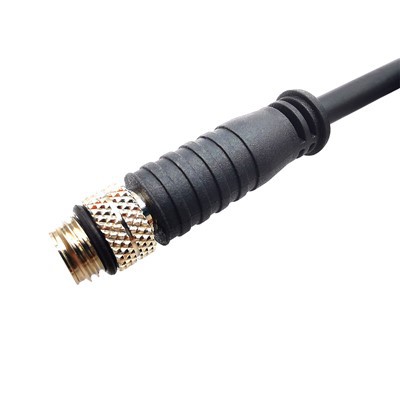
First, let’s get one thing straight: CoaXPress isn’t just any old coax. It’s built for a super specific job—moving massive amounts of data (up to 12.5 Gbps per line, even higher for newer specs) over a single coax, right? That’s way faster than your old HDMI or Ethernet cable, so the rules for signal integrity are way stricter. Impedance, for anyone who’s ever blanked on high school physics (guilty), is basically the “resistance” a signal faces as it travels through a cable. But it’s not like the resistance of a lightbulb—this is alternating current (AC) impedance, meaning it changes with frequency, and it has to match perfectly between every part of your setup: the cable, the camera end, and the frame grabber end. If it’s off even a little, your signal bounces, you get data errors, or worse, no data at all.
Now, here’s the big reveal that usually shocks people: the standard, no exceptions CoaXPress cable impedance is 75 ohms. Wait, hold on—before you go, “But RG-6 is 75 ohms, RG-58 is 50 ohms,” let’s talk about why that’s not a mix-up. A lot of folks new to CXP assume it’s going for a 50 ohm coax, which is the standard for radio frequency (RF) and general data cables. But 75 ohms was a deliberate choice by the CoaXPress consortium, the group that made the standard, and it’s all about what’s best for their use case: industrial machine vision, high-speed data for cameras, and long cable runs.
Let me explain the “why” behind the 75 ohm call. For high-frequency signals (remember, CXP signals are in the gigahertz range, which is super fast), a 75 ohm cable has lower signal loss than 50 ohm coax when you’re dealing with the frequencies CXP uses. When you’re running a 10-meter CXP cable, that lower loss means your signal doesn’t degrade so much by the time it hits the frame grabber that you have to deal with retransmissions or dropped frames. Also, 75 ohm cables are super common in video and broadcast gear—so if you’re already using 75 ohm adapters or equipment from past setups, that’s a bonus. That doesn’t mean 50 ohm is totally useless here, though. If someone tries to use a 50 ohm cable for CXP, you’ll almost immediately see issues because the impedance mismatch will cause signal reflection. Think of it like throwing a rubber ball at a wall that’s too soft— the ball bounces back instead of going through, and that bounced signal messes up the new signal being sent.
But wait, it’s not just 75 ohms and that’s it. There’s a caveat, right? Not all 75 ohm coax is created equal. When we’re talking about CoaXPress, it’s not the old RG-6 you use for your home TV. CXP requires a specific kind of 75 ohm coax, engineered for high-frequency data transfer. Let’s get into the specs, because this is where a lot of bad suppliers cut corners. The key specs here are things like capacitance per unit length (usually around 20.5 pF/m for CXP-compliant cables), characteristic impedance tolerance, and shielding. A regular old 75 ohm cable might have a tolerance of ±5 ohms, but for CoaXPress, you need ±1 ohm max. If the impedance is even 2 ohms off, that’s enough to cause a signal reflection when you’re pushing 10 Gbps. That’s the difference between a $5 cable from a random electronics store and a properly certified CXP cable from a supplier like us.
Another thing I get asked all the time: what about CXP’s multi-line setups? Like CXP-6 or CXP-12, which use multiple lines in a single cable? Does that change the impedance? Nope, same 75 ohms for every line. The Consortium made sure that the differential or single-ended lines all stick to 75 ohms so you don’t have to mix and match cables or adapters. The only time you might see a different impedance is if someone is using a weird custom setup, but that’s not covered under the official CoaXPress standard, and it’s gonna cause problems down the line. Let’s be real—when you’re setting up a machine vision system for a factory line, you don’t want to mess with custom stuff that voids your warranty or causes downtime.
Now, why does this matter for you, especially if you’re buying CoaXPress cables? I’ve seen customers waste thousands of dollars on cheap, uncertified 75 ohm cables that say they’re CXP-compliant but don’t meet the impedance spec. They end up with intermittent frame drops, errors in their data log, or even camera hardware damage. The impedance mismatch causes excess voltage standing wave ratio (VSWR), which is a fancy way of saying the signal is bouncing around in the cable. Over time, that extra power can even damage your camera or frame grabber ports. So, sticking to 75 ohms, certified to the exact CoaXPress spec, isn’t just a “nice to have”—it’s non-negotiable for reliable operation.
Let’s talk about how we test our cables here, because transparency is everything. When a cable comes off our production line, we run impedance tests at multiple frequencies (we check up to 12.5 GHz, the max for CXP-12) to make sure it’s holding steady at 75 ±0.5 ohms. We also test shielding effectiveness, because industrial environments have tons of electrical noise from motors, robotic arms, and other equipment—if your cable doesn’t have good shielding, noise can mess with the signal even if impedance is right. All our CXP cables come with a test report that shows the impedance specs, so you don’t have to take our word for it. That’s something cheap suppliers don’t do—they just make a cable and slap a CXP label on it without any testing.
Wait, let’s address a common myth I’ve heard too: some people think impedance depends on cable length. Nope, that’s not how it works. Characteristic impedance (that’s the technical term for the impedance we’ve been talking about) is a property of the cable’s construction—the center conductor size, the dielectric material between the center and shield, and the shield type. It doesn’t change with length. So a 1-meter CXP cable and a 20-meter CXP cable should have the same 75 ohm impedance, as long as they’re built to the same spec. The reason longer cables might have signal issues is due to higher total loss, not impedance change. That’s a good thing, because it means you can get reliable cables of any length, as long as they’re built right.
I also want to mention the CoaXPress 2.0 spec, which is the latest one that goes up to 25 Gbps per line. Did they change the impedance there? Still 75 ohms. The Consortium kept the same standard because they learned from early setups that changing impedance would just create more compatibility issues. They optimized the dielectric material and conductor thickness to handle the higher frequencies while keeping that 75 ohm spec, so you can use the same 75 ohm cables for both old and new CXP systems. That’s a huge win for customers, because you don’t have to re-buy all your cables when you upgrade to CXP 2.0.
Let me give you a real example from a customer we worked with last year. They had a line of packaging machines that used CXP-6 cameras. They were using cheap 75 ohm cables from a different supplier, and they were getting 1-2 dropped frames per hour, which was enough to make their packaging labels misaligned. They tried adjusting their camera settings, checking lighting, even replacing the frame grabber, but nothing worked. Then they switched to our CXP-certified 75 ohm cables, and the dropped frames stopped entirely. When we tested their old cables, we found their impedance was off by 3 ohms—way outside the CoaXPress spec. That’s the kind of problem that comes from cutting corners on the impedance spec, and it’s why this stuff matters so much for real-world operations.
Now, if you’re shopping for CoaXPress cables, here’s my quick checklist to make sure you’re getting the right impedance: 1) Only buy cables labeled as CoaXPress-compliant, not just generic 75 ohm coax. 2) Check that the impedance tolerance is ±1 ohm or better. 3) Ask for a test report that proves the impedance was measured at the frequencies your system uses (usually 6 GHz for CXP-6, 12.5 GHz for CXP-12, etc.). 4) Avoid any supplier that won’t show you test data—if they can’t prove the impedance is 75 ohms spec, walk away.
At the end of the day, impedance isn’t just a random number on a spec sheet. It’s the backbone of your CoaXPress signal, and getting it right is the difference between a system that runs smoothly 24/7 and one that’s plagued with random errors. If you’re working on a CXP setup—whether it’s machine vision, industrial inspection, high-speed imaging for research, whatever—and you need cables that meet the 75 ohm standard, hit us up to chat. We can help you pick the right length and grade for your setup, answer any questions you have about impedance or specs, and make sure you get cables that work as hard as your system does.
USB Cable References
CoaXPress Consortium. (2020). CoaXPress Specification Version 2.1.
IEC 61196-1. (2019). Coaxial cables – Part 1: Generic specification.
IEEE Std 1180-2010. (2010). IEEE Standard for Coaxial Cables for High-Speed Digital Communications.
Karobert Technology LLC Karobert Trading PTE. LTD.
We’re known as one of the most professional coaxpress cable manufacturers and suppliers in China, also support customized service. Please feel free to buy high quality coaxpress cable made in China here from our factory. For price consultation, contact us.
Address: 6250 S 196th St, Kent, WA, 98055, USA.
E-mail: karl@karobert-us.com
WebSite: https://www.karobert-us.com/
